The 2026 EHR Switching Guide: Data Migration Without Tears
The thought of moving 500 client files is enough to make any therapist stay with a bad EHR. We break down the exact steps to switch safely.
The Psychology of the Switch
Switching software is a major stressor. It disrupts your clinical flow and introduces billing risks. However, our data shows that therapists who switch to a more modern platform save an average of 4.5 hours per week on admin. That's nearly an extra day of clinical work per month. The ROI is there; you just need a plan.
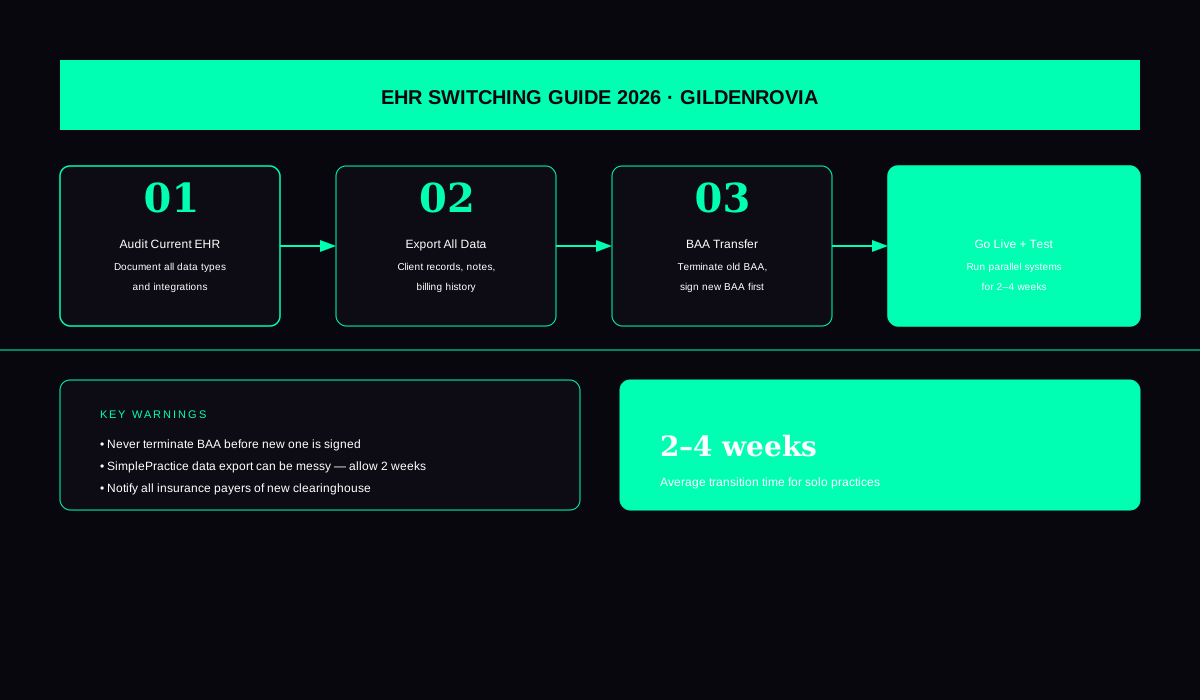
Step one is understanding what can—and cannot—be moved. Demographics (names, addresses, phone numbers) are easy. Billing history and clinical notes are hard. Most EHRs will not import clinical notes from a PDF into their own system. You will likely have to keep your old system as a "Read Only" account for several months to satisfy legal retention requirements.
The 30-Day Transition Plan
Days 1-7: Export your client list to a CSV. Upload this to your new EHR. Set up your client portal and testing your telehealth connection.
Days 8-20: The "Parallel Period." Run both systems. Start your new intakes in the new system. Move active clients over as they have their next session.
Days 21-30: Final billing reconciliation. Make sure all pending insurance claims in the old system have reached a final status. Export all your data to a secure hard drive and downgrade your old EHR account.
Independent Advice
Don't trust the "Switching Specialists" from the software companies entirely. They want your subscription. Use an independent checklist (like the one below) to ensure you aren't leaving behind critical HIPAA data or un-filed insurance claims.